Icon of program: AllDup

AllDup for Windows

  • Free
  • 3.7
    66
  • 17.3K
  • V4.5.72
Free Download for Windows

View an ad to download for free

Efficient duplicate file management for Windows

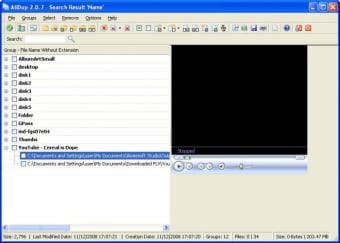
AllDup is a free utility developed by Michael Thummerer Software Design (MTSD) to identify and manage duplicate files on Windows systems. It helps users scan their hard drives to find duplicate data and free up storage space. The program supports multiple search criteria, enabling examination based on file name, content, size, and other attributes. AllDup also offers tools to delete, move, copy, or rename duplicate files, and includes preview features for images, text, sound, video, and internet files directly within the program.

Top Recommended Alternative

Streamlined duplicate detection with flexible search options

At its core, AllDup focuses on scanning for duplicate files across a wide range of file types on Windows. Users can customize their search by selecting criteria such as filename, file extension, size, content, similar images, similar music files, and more.

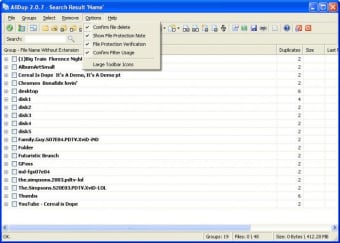
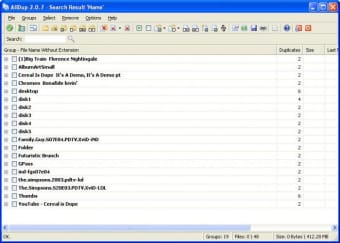
Features such as filtering, archive searching for formats including ZIP, RAR, 7Z and others, and ignoring specific metadata such as ID3 tags, Exif data, and FLAC metadata allow highly accurate and comprehensive scans. Additionally, the interface is designed to clearly display duplicate groups and provides multiple automatic selection commands to simplify cleanup.

Controlled file management enhances safety and organization

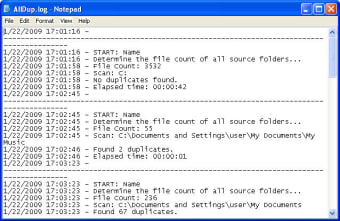
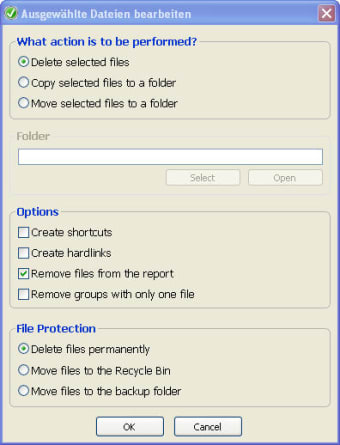
Once duplicates are found, AllDup offers several options for handling them. Users can delete duplicates either permanently or by sending them to the Recycle Bin, create hard links or shortcuts, move duplicates to backup folders, or rename them. Moreover, a built-in preview function and a detailed log file help ensure safe file management and reduce the risk of accidental data loss.

Reliable for managing redundant data on Windows

AllDup provides a clear and effective way to manage duplicate files using multiple search criteria and safe file handling options. Its straightforward interface and preview capability enhance user control and minimize risks when organizing files. Overall, it remains a solid choice for free duplicate file management on Windows environments.


  • Pros

    • Wide duplicate search options
    • Preview for many file types
    • Supports archive file scanning
    • Offers automatic file selection
    • Provides detailed operation logs
  • Cons

    • Interface may feel complex
 0/5

App specs

Also available in other platforms

Program available in other languages


Icon of program: AllDup

AllDup for PC

  • Free
  • 3.7
    66
  • 17.3K
  • V4.5.72
Free Download for PC

View an ad to download for free


User reviews about AllDup

3.7

3 reviews

Add review

Main reviews for you

  • Anonymous user

    Not good and not easy to use. very complicated software, it is keep selecting wrong files and they are not even similer.

  • Anonymous user

    The best!. After trying numerous duplicate file management tools, I have settled on this - this is the very best. I am uninstalling all the other ones. THE best duplicate file software out there, hands down!

  • Anonymous user

    Excellent Utility. Easy straight forward install. Easy to operate. It finds the duplicate files fast and has an intuitive interface that allows you to view and select the files you want to remove. It allows for moving the deleted files to a new location for recovery.

More

You may also like

Alternatives to AllDup

Explore Apps

Latest articles

Laws concerning the use of this software vary from country to country. We do not encourage or condone the use of this program if it is in violation of these laws.
Softonic

Is AllDup safe?

99/100

Score result: Clean

This file passed a comprehensive security scan using VirusTotal technology. It is safe to download.

  • Virus free
  • Spyware free
  • Malware free
  • Verified by Security Partners

    VirusTotal logo

Scan Info

Last scan
Wednesday, January 7, 2026
Scan provider
VirusTotal · Full report

File Integrity

File
AllDup_V4.5.72.exe
SHA256
45fff7378008739cb669853541af226c575243dec0c1b79825c91b2ab60559b6
SHA1
4c769d413ac3f30ee3949086c0af2495ed192b5c

Softonic security commitment

AllDup has been thoroughly scanned by our advanced security systems and verified by industry-leading partners. This file comes from the official developer and has passed all our security checks, showing no signs of viruses, malware, or spyware. For more information, visit our Security and Trust Center

Signed in to Softonic as